Extraordinary Call for applications for Italian or EU candidates, and extra-UE candidates living in Italy is opening on August 3rd
Please find the call for applications at the following link: https://dia.unipr.it/en/node/100471.
Deadline: September 22nd
This page is a quick guide to start the VISA request process on Universitaly.
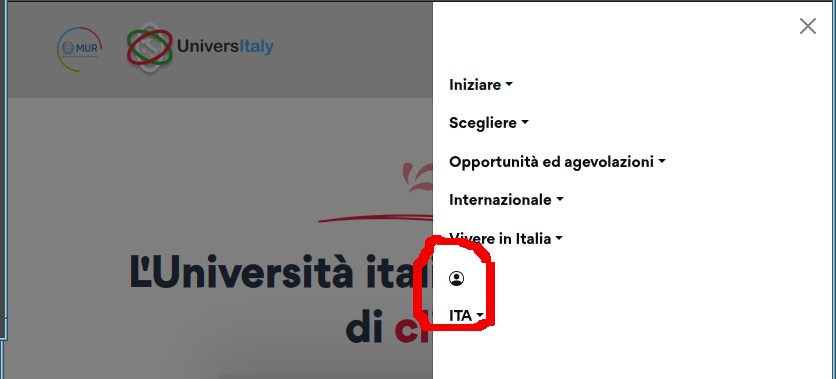
You have to access https://www.universitaly.it/, open the menu and click on the USER icon
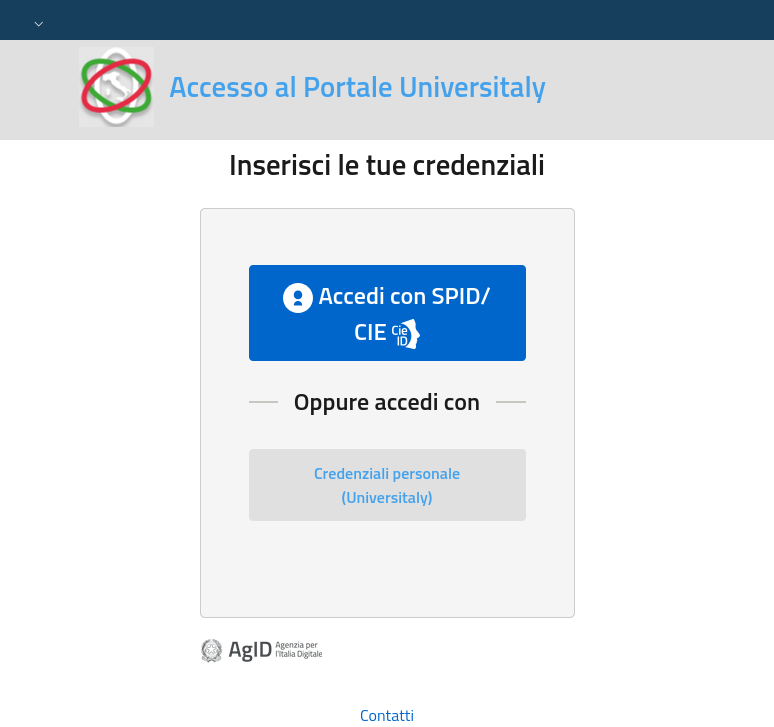
In the next page (unfortunately Italian only) you have to click on Credenziali personale (Universitaly)
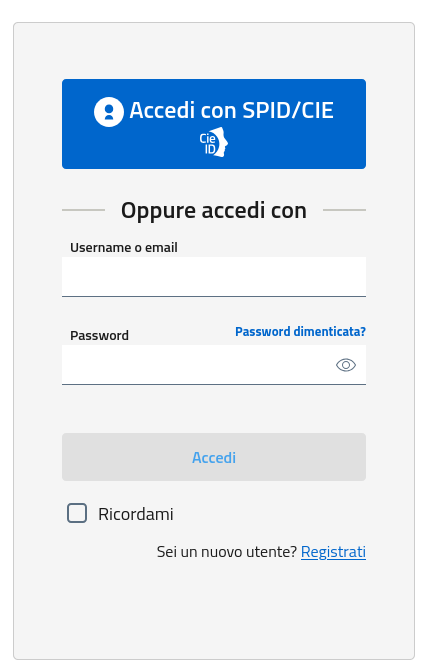
In the next form (again Italian only) click on Registrati
This opens the actual registration page where to enter your data
WARNING: use the exact same data you used in the ESSE3 application since your Tax ID is automatically computed using them. It is important that this generated Tax ID is the same you have on ESSE3. If not, please modify it according to the ESSE3 one.

You will receive a mail to confirm the e-mail address
In the next page (unfortunately Italian only) you have to click on Credenziali personale (Universitaly)
In the next form (again Italian only) click on Registrati
This opens the actual registration page where to enter your data
WARNING: use the exact same data you used in the ESSE3 application since your Tax ID is automatically computed using them. It is important that this generated Tax ID is the same you have on ESSE3. If not, please modify it according to the ESSE3 one.
You will receive a mail to confirm the e-mail address
Once you have verified your mail you can return to Universitaly web site and now you can select the Pre-enrolment application. Now you can also switch to English. Then click on Pre-enrolment
application
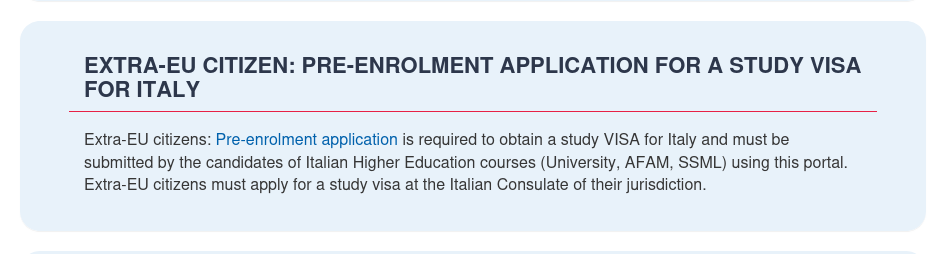
Then click on Go to application
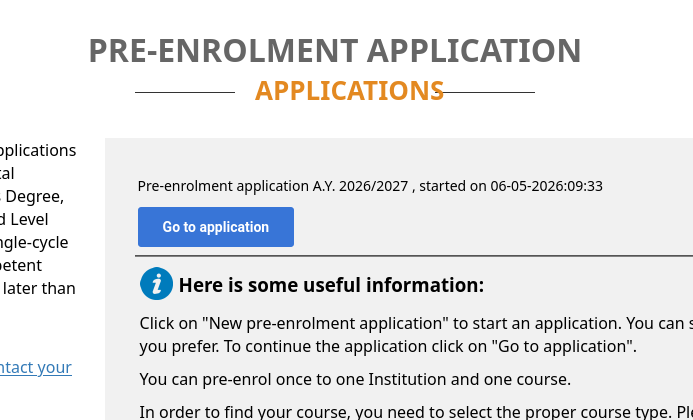
Then click on Go to application
Please, be prepared that in this step you also have to upload your ID photos, your face photo, and your qualification. Prepare the files before entering this step.
STEP A: enter your relevant information, name, address, citizenship. Warning again: check the generated Italian Tax Code
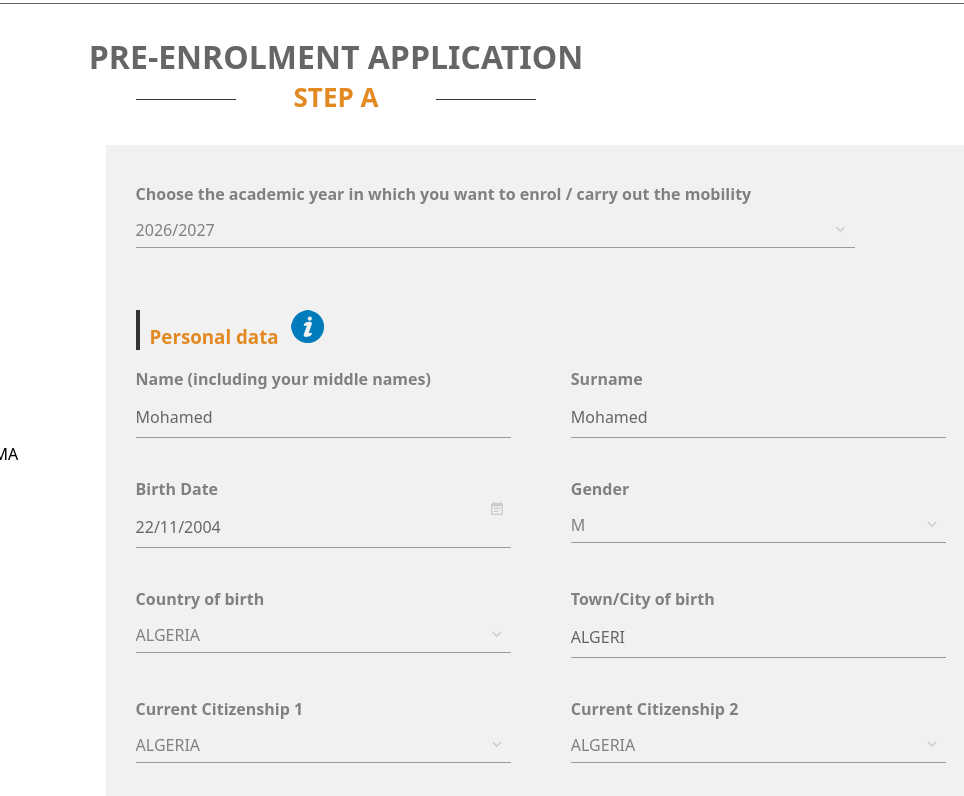
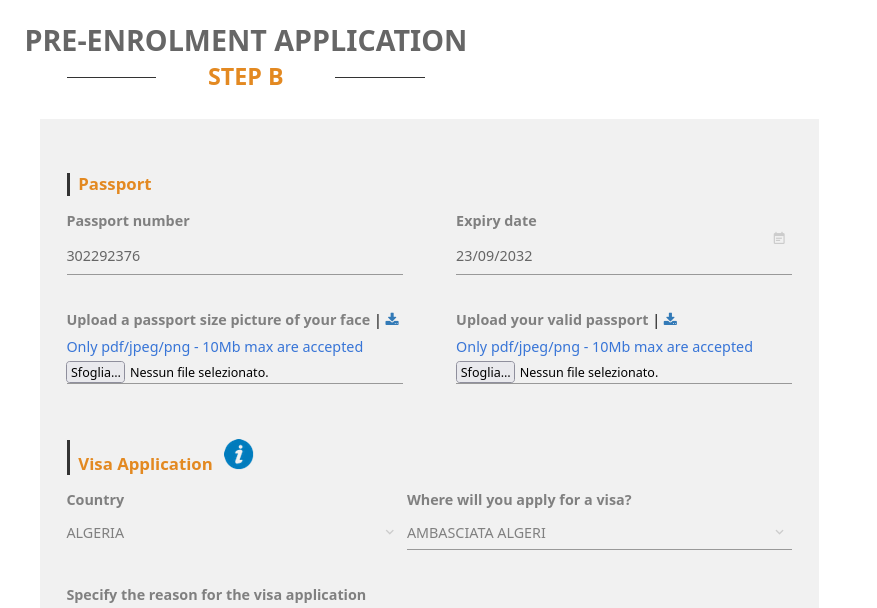
STEP B: here you have to enter passport data, your face photo and your passport image
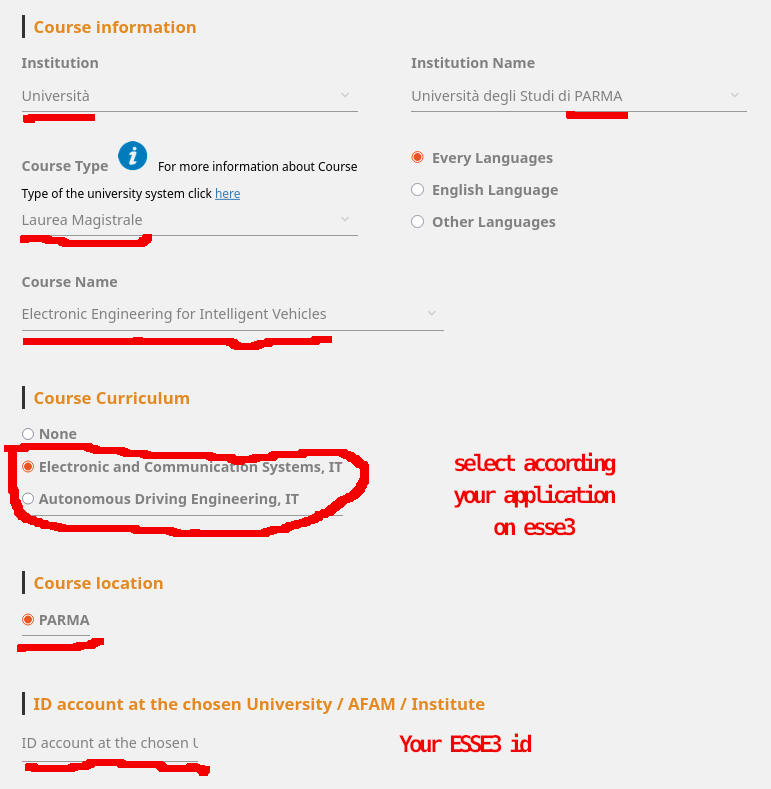
Also enter course information as shown in the image. Please select appropriate curriculum according to your application
Please, also note that the ID Account is the same used for accessing the Unipr ESSE3 (https://unipr.esse3.cineca.it
You also have to upload your qualifications (bachelors' degreem, transcript of academic career, pre-acceptance letter you received, and language proficiency
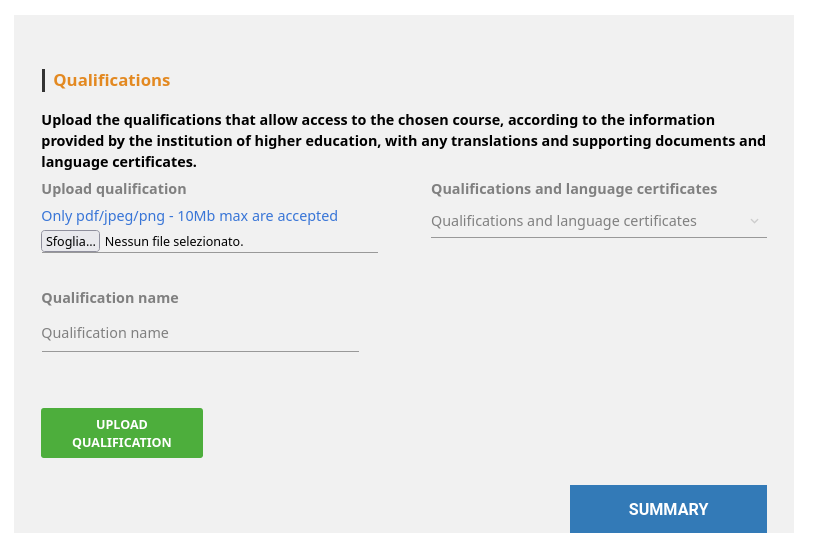
After confirming data, a summary page is going to open. In this page, please, carefully check your data and whether you uploaded mandatory files. Once you check the I have read the data processing another page is going to open showing you the notes on the processing of your personal info.
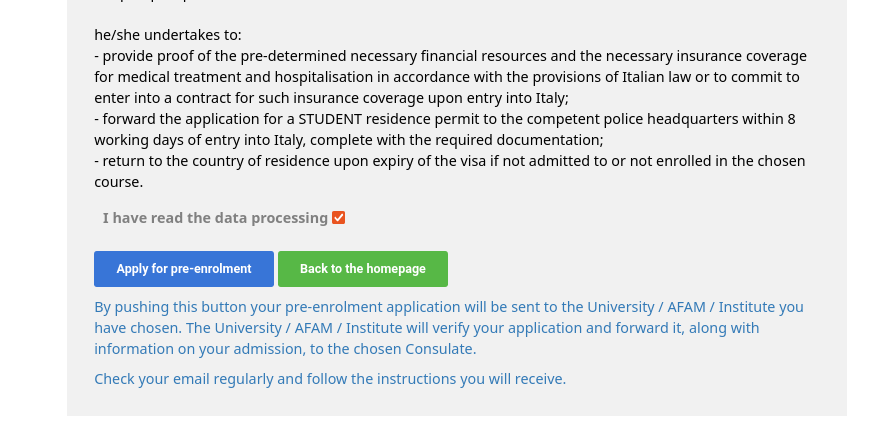
Once you are sure that everything is ok, you can click on Apply for pre-enrolment
STEP A: enter your relevant information, name, address, citizenship. Warning again: check the generated Italian Tax Code
STEP B: here you have to enter passport data, your face photo and your passport image
Also enter course information as shown in the image. Please select appropriate curriculum according to your application
Please, also note that the ID Account is the same used for accessing the Unipr ESSE3 (https://unipr.esse3.cineca.it
You also have to upload your qualifications (bachelors' degreem, transcript of academic career, pre-acceptance letter you received, and language proficiency
After confirming data, a summary page is going to open. In this page, please, carefully check your data and whether you uploaded mandatory files. Once you check the I have read the data processing another page is going to open showing you the notes on the processing of your personal info.
Once you are sure that everything is ok, you can click on Apply for pre-enrolment
After having finalized your pre-enrolment on Universitaly, take a screenshot of tha page that shows that you applied for pre-enrolment at the University of Parma with all relevant data (date, time,
mail)
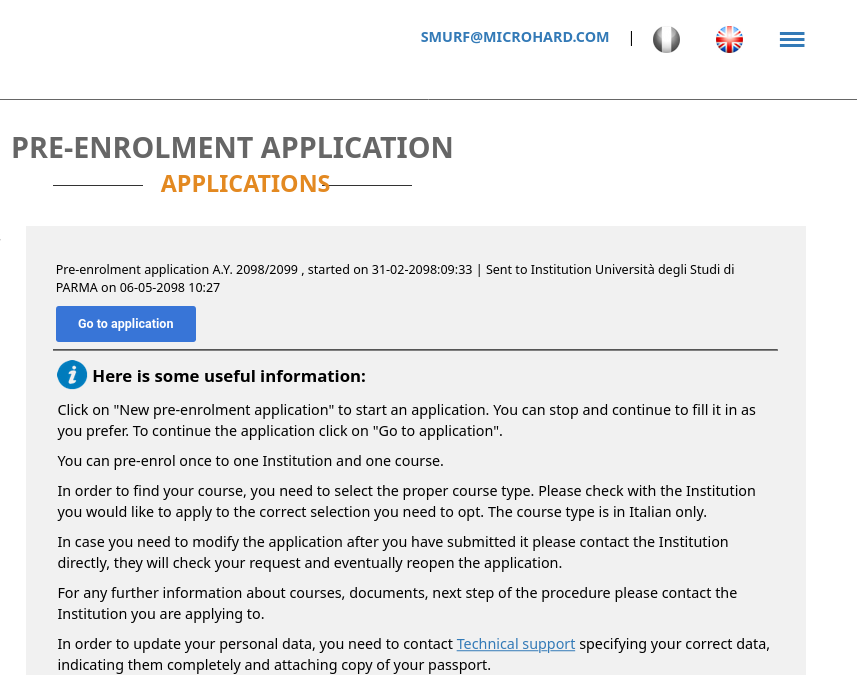
This screenshot will be used to finalize the enrollment at the University of Parma. You can have now to return back to ESSE3 (please find a step by step guide at https://www.ce.unipr.it/EEIV/enrol.php)
This screenshot will be used to finalize the enrollment at the University of Parma. You can have now to return back to ESSE3 (please find a step by step guide at https://www.ce.unipr.it/EEIV/enrol.php)
For additional help and support, do not hesitate to contact
bertozzi@ce.unipr.it