Extraordinary Call for applications for Italian or EU candidates, and extra-UE candidates living in Italy is opening on August 3rd
Please find the call for applications at the following link: https://dia.unipr.it/en/node/100471.
Deadline: September 22nd
This page is a step by step guide for candidates
that want to apply
to Electronic Engineering for Intelligent Vehicles
Please note that in the following we describe the steps for 2 different categories of candidates:
Please note that in the following we describe the steps for 2 different categories of candidates:
- Extra-UE candidates living abroad
- Italian or EU candidates or extra-EU candidates living in Italy that have a valid residence permit
Please, skip this step if you already have UniPR credentials
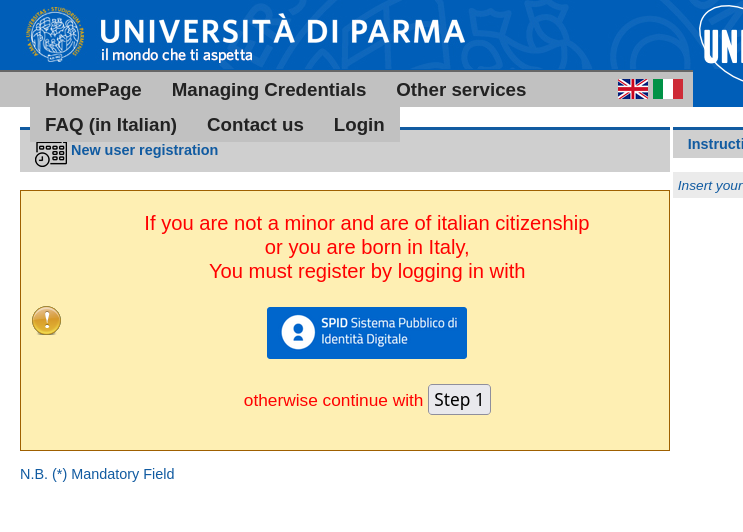
You have to go to this page https://www.idem.unipr.it/start/registra and switch to english.Then click on Step 1
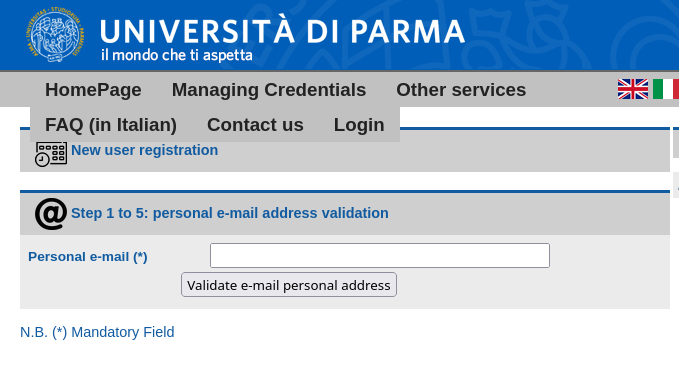
 Enter your personal mail, and validate it using the link you will receive (check the SPAM folder in case you are not receiving the link
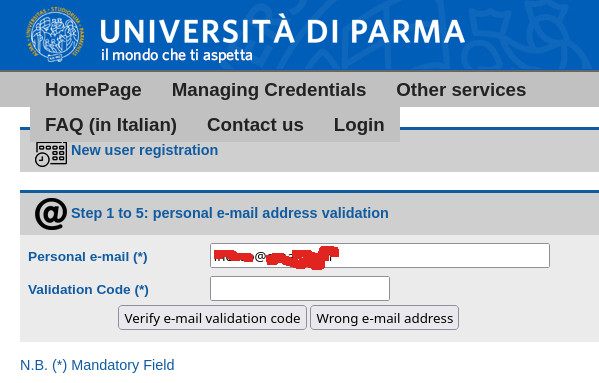 Once verified, insert your data
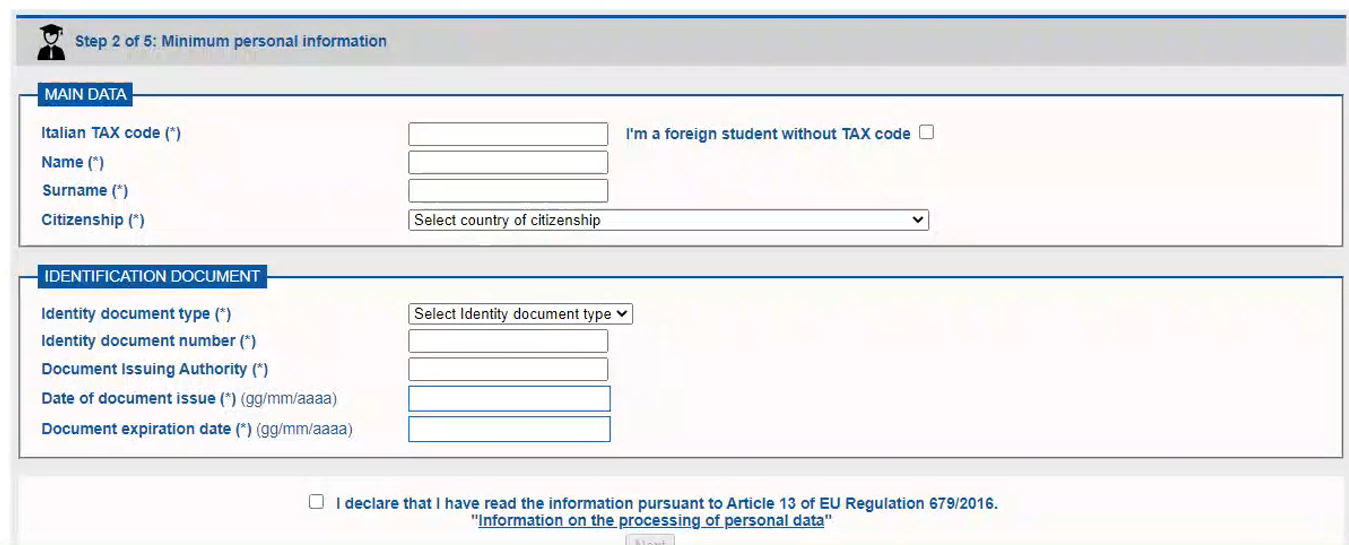 For the Italian TAX Code tick that you do not have one, tick also the declaration at the bottom (a page with some legalese will open, close it as usual)
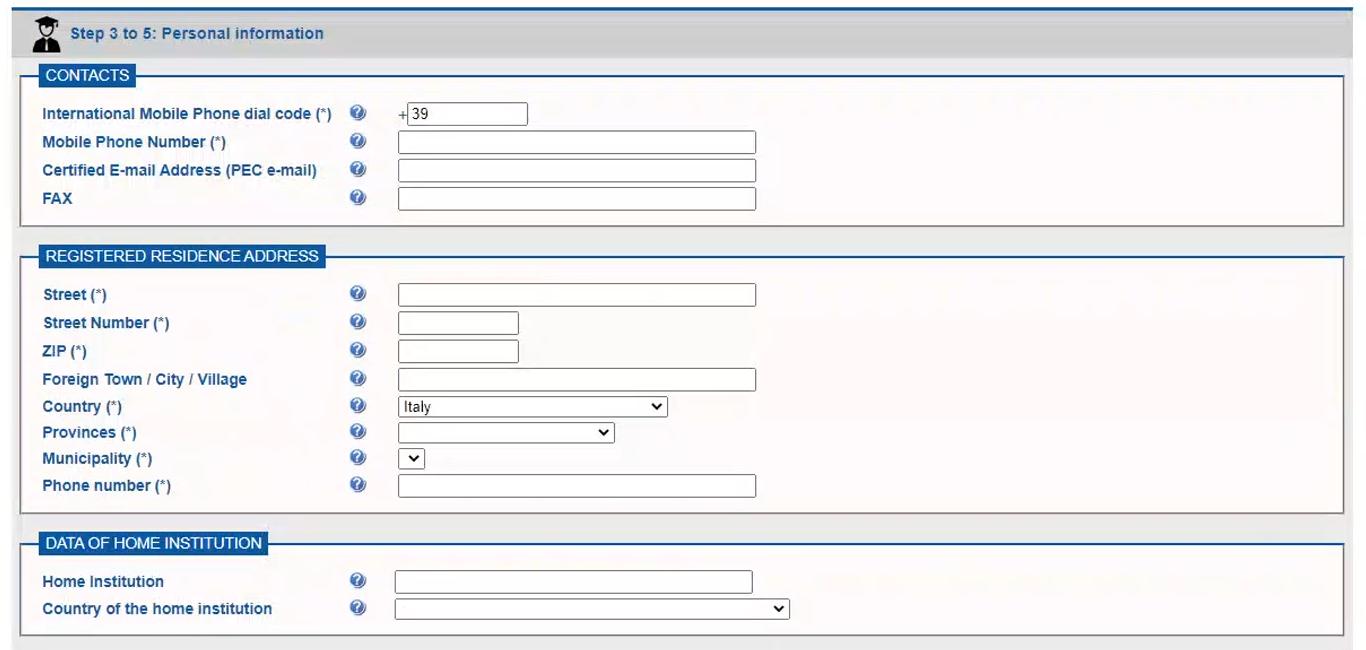 Leave blank fields without the *, for the home phone you can enter for sure your mobile phone.
For Home Institution you have to enter the data of where you got your Bachelors' degree.
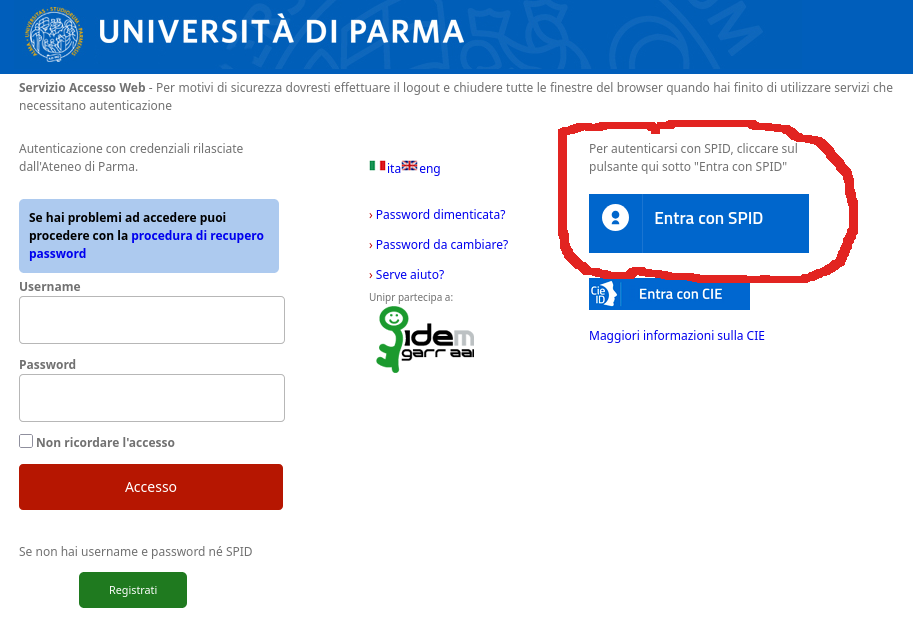
You can only register using SPID. Go at
https://unipr.esse3.cineca.it/auth/Logon.do
and access selecting ENTRA CON SPID
You have to go to this page https://www.idem.unipr.it/start/registra and switch to english.Then click on Step 1
For Home Institution you have to enter the data of where you got your Bachelors' degree.
Once you have obtained the University of Parma credentials you can then access the ESSE3 system, the web application used to apply for the masters' degree in Electronic Engineering for Intelligent
vehicles as well as for applying for other degrees
The link to access is https://unipr.esse3.cineca.it/auth/Logon.do
Enter then the credentials you have obtained. In the following images, you can see the default form (in Italian) and the same form after clicking on 'eng'
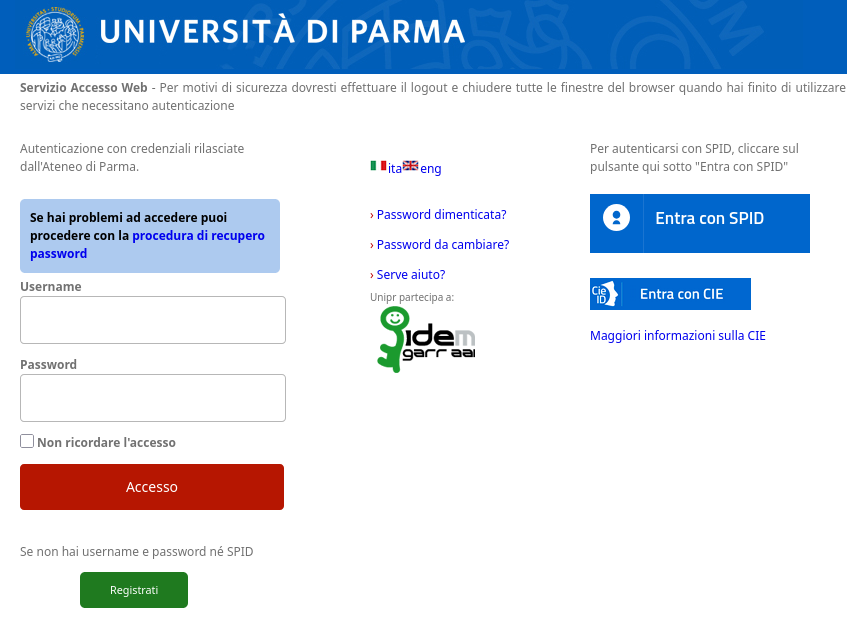
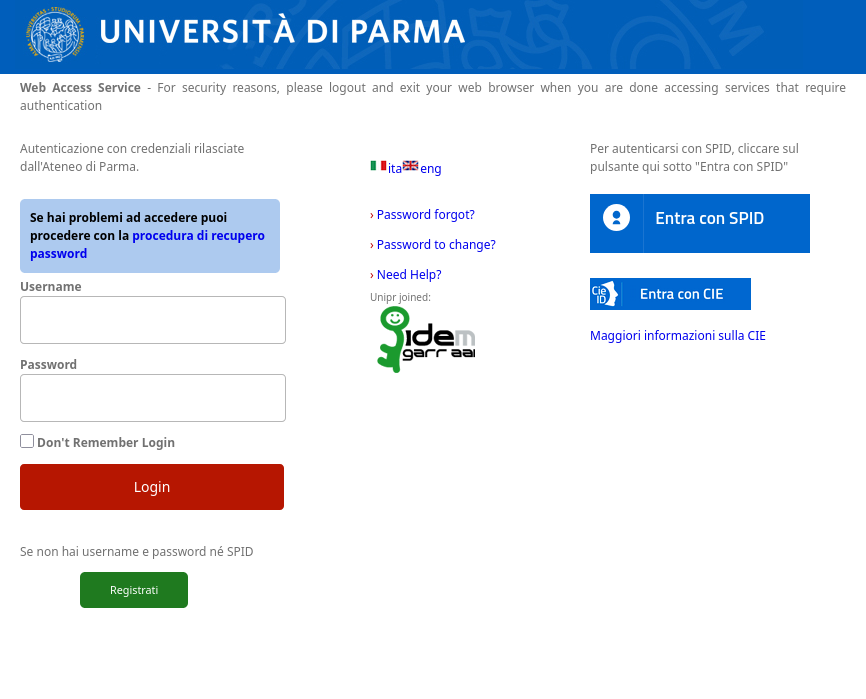
The link to access is https://unipr.esse3.cineca.it/auth/Logon.do
Enter then the credentials you have obtained. In the following images, you can see the default form (in Italian) and the same form after clicking on 'eng'
The first time you access esse3, you will be required to insert additional mandatory data
Before doing that switch to English clicking on the MENU on the top right of the page and the clicking on ENG, in the dialog box click OK
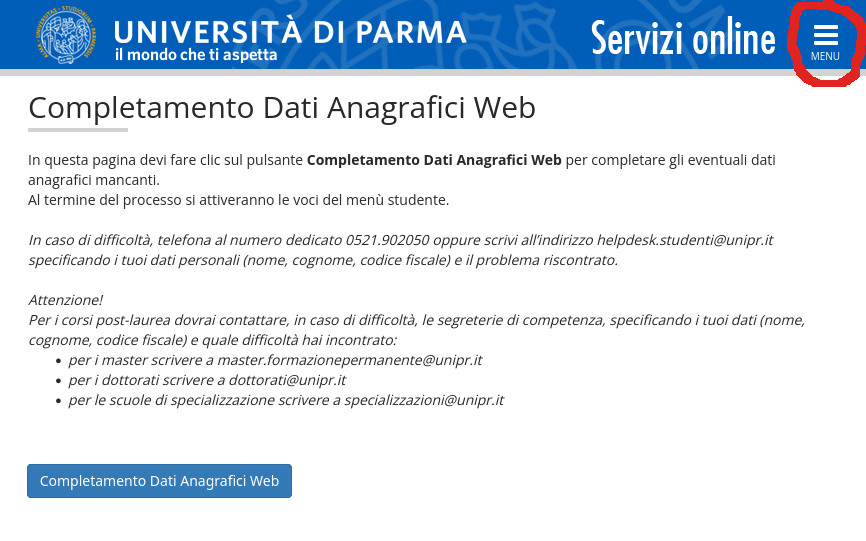
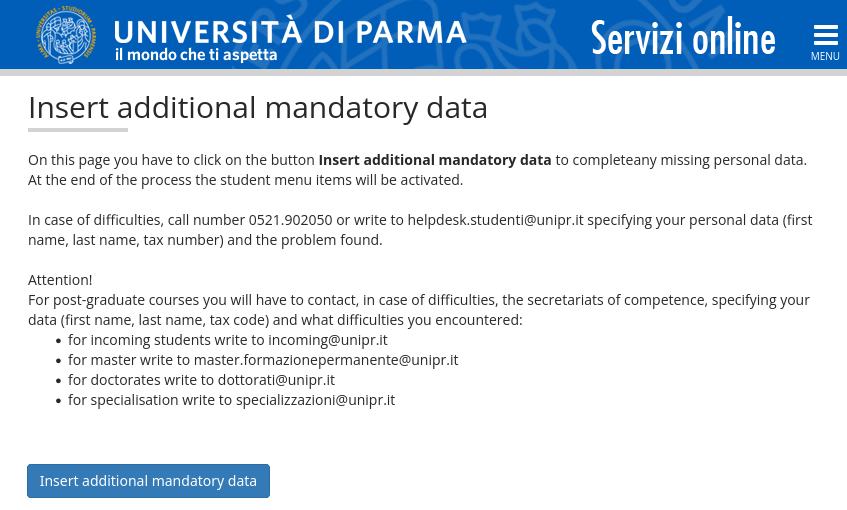
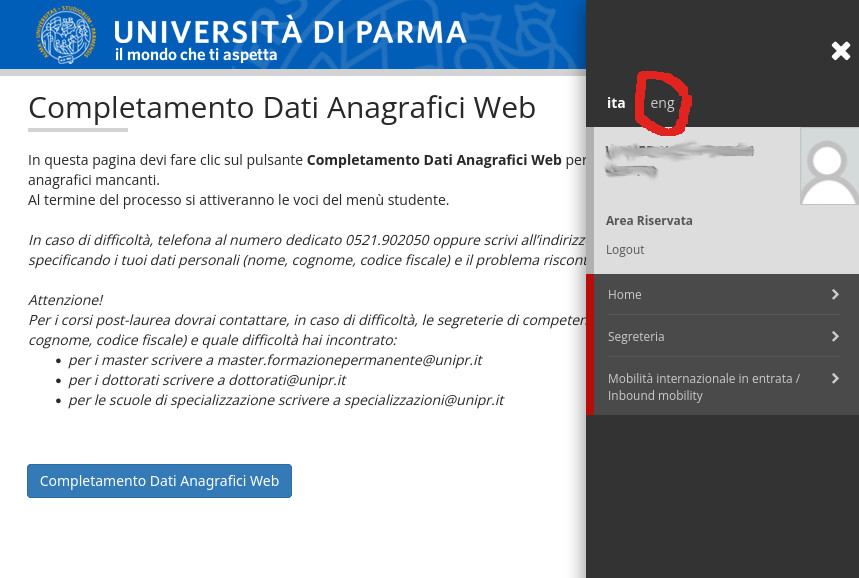 The page will reload and now tyou should see the page in English
Click on Insert additional mandatory data at the bottom
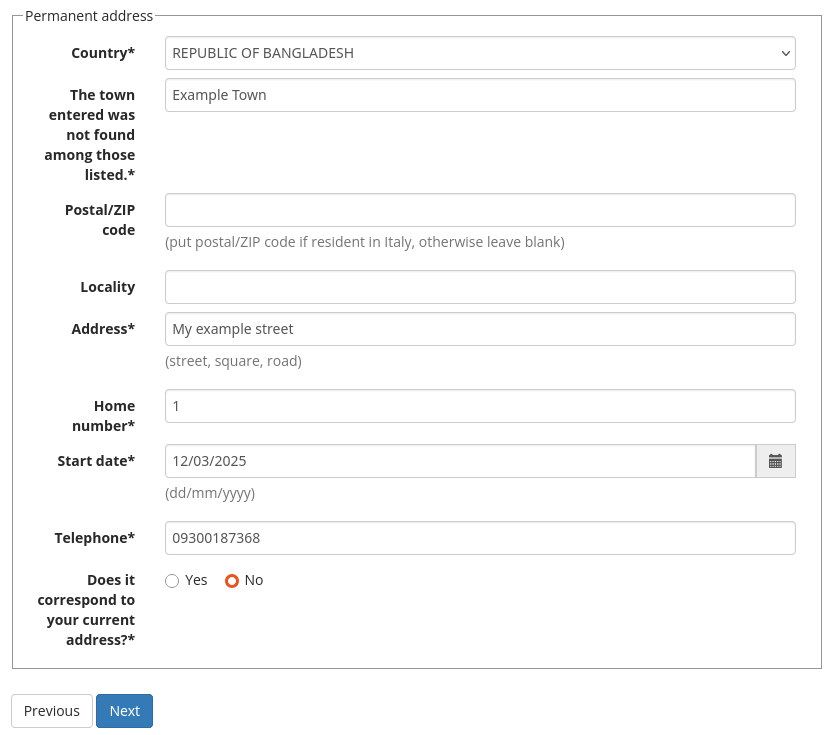
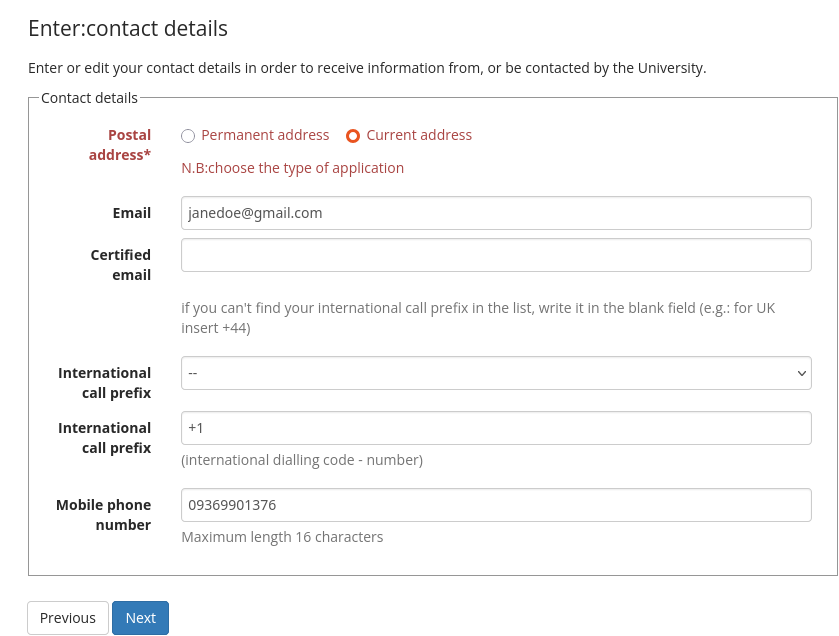
 You have to enter missing data about and, specifically, since when you are living there. Please note that field wit * are mandatory. Aftger having filled all required fiels click on
NEXT
You have to enter missing data about and, specifically, since when you are living there. Please note that field wit * are mandatory. Aftger having filled all required fiels click on
NEXT
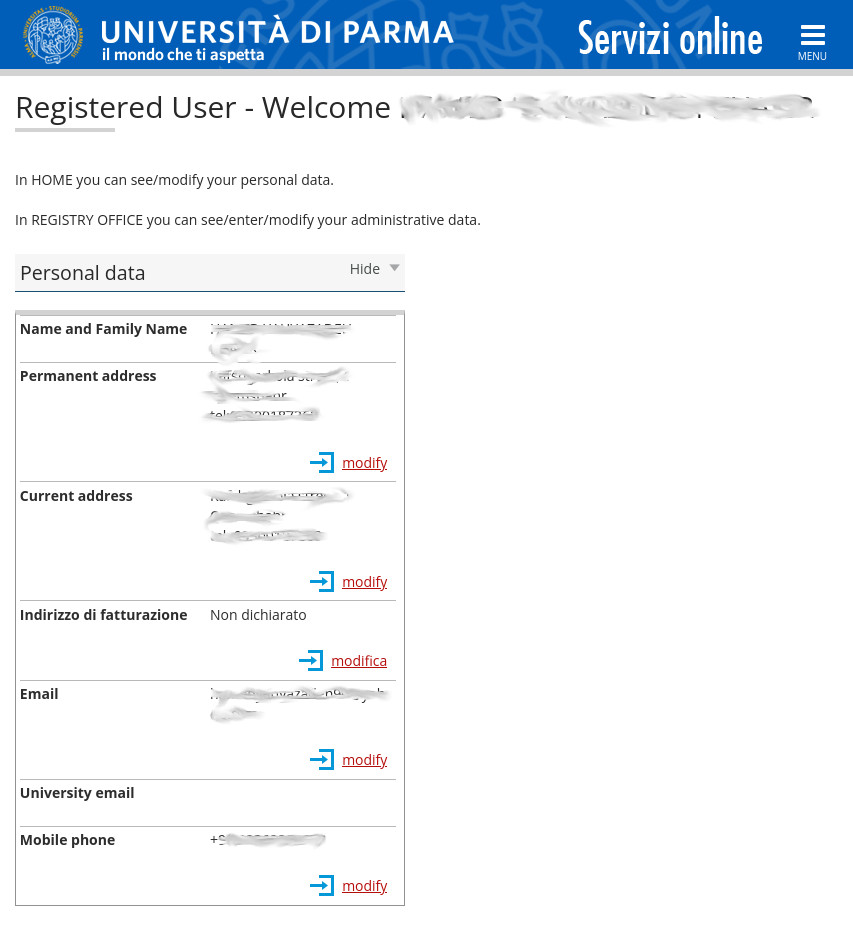
 At the end of the process you will be returned to the starting page where you can see a recap of all the data you have enetered. If something is wrong you can modify again the data from s
MENU → HOME → PERSONAL DATA
At the end of the process you will be returned to the starting page where you can see a recap of all the data you have enetered. If something is wrong you can modify again the data from s
MENU → HOME → PERSONAL DATA
Before doing that switch to English clicking on the MENU on the top right of the page and the clicking on ENG, in the dialog box click OK
Click on Insert additional mandatory data at the bottom
First of all, do not worry, you can pause the process and start again when you want.
In order to start the process you have to access unipr ESSE3: https://unipr.esse3.cineca.it/auth/Logon.do
In order to start the process you have to access unipr ESSE3: https://unipr.esse3.cineca.it/auth/Logon.do
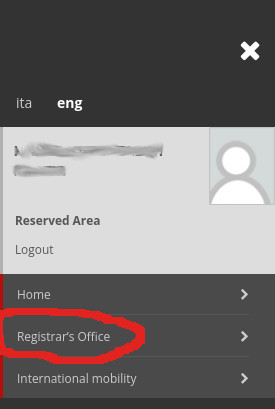
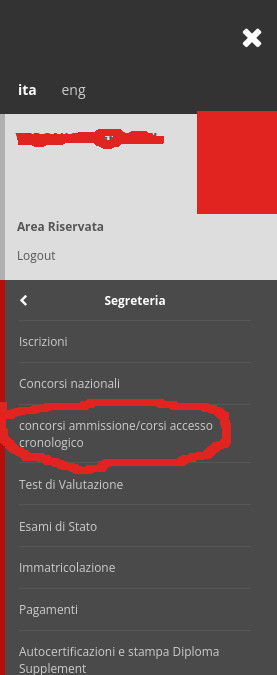
Click on MENU → REGISTRAR'S OFFICE → ENTRANCE EXAM or MENU → REGISTRAR'S OFFICE → ADMISSION TEST (in Italian: SEGRETERIA → CONCORSI AMMISSIONE/CORSI ACCESSO CRONOLOGICO)
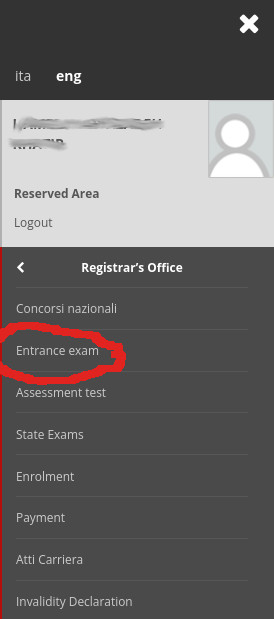
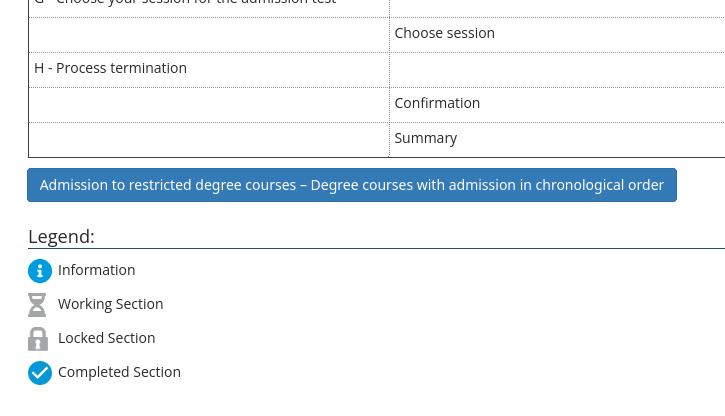
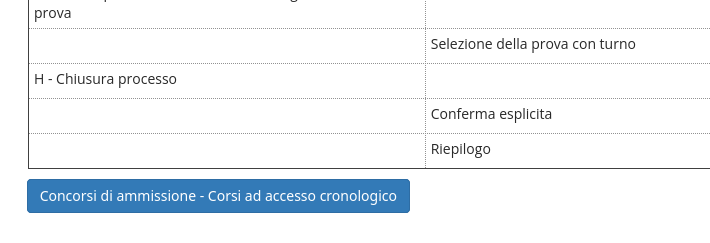
 In the new page, click on the ADMISSION TO RESTRICTED DEGREE COURSES... (in Italian CONCORSI DI AMMISSIONE - CORSI AD ACCESSO CRONOLOGICO) at the bottom
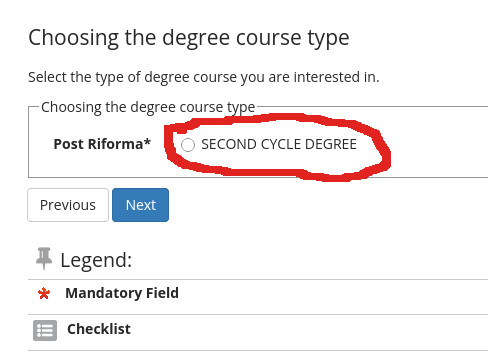
 Select then SECOND CYCLE DEGREE and click on NEXT (In Italian CORSO DI LAUREA MAGISTRALE)
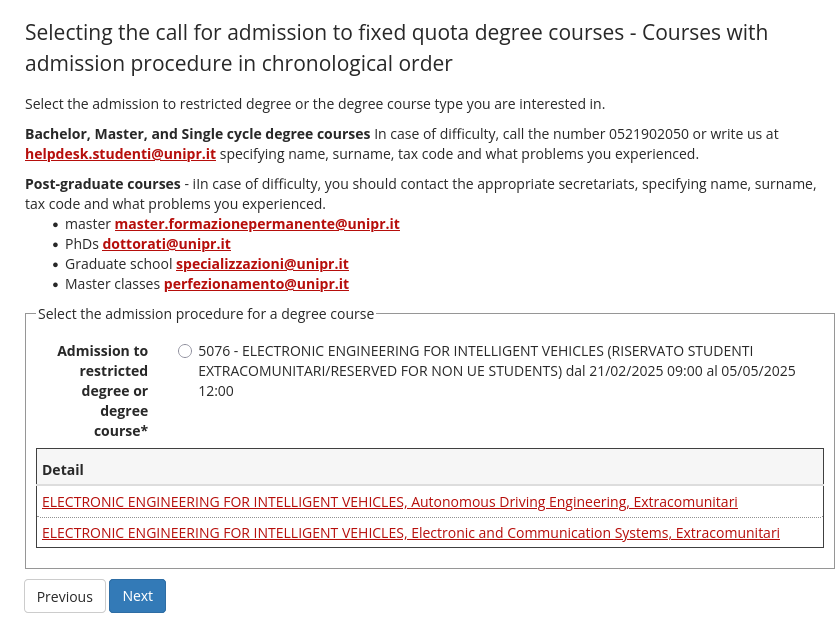
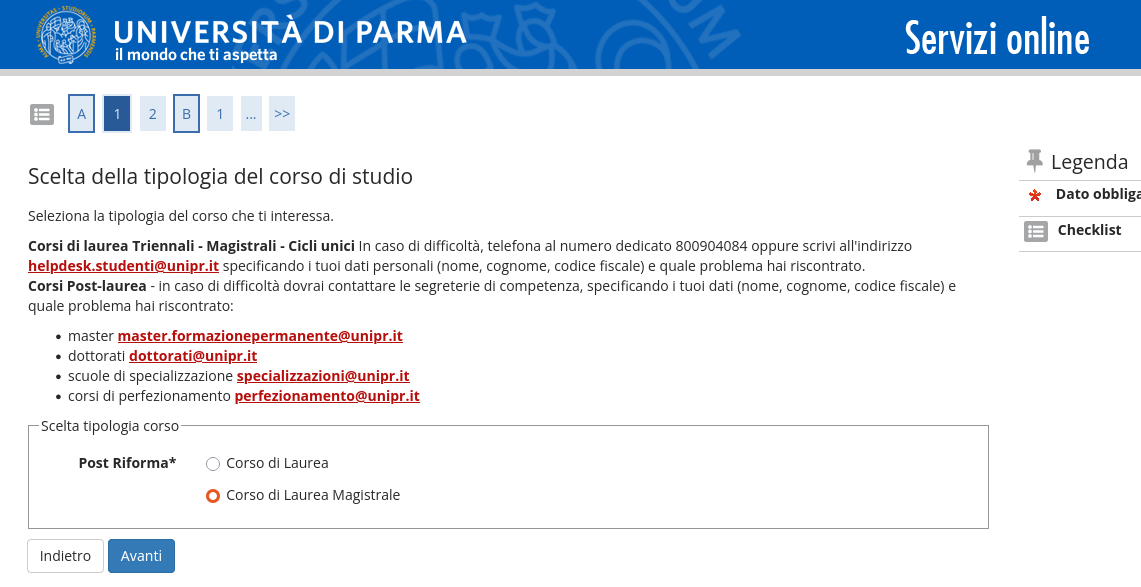 Non EU candidates living abroad MUST
select 5076 - ELECTRONIC ENGINEERING FOR INTELLIGENT VEHICLES (RISERVATO STUDENTI EXTRACOMUNITARI/RESERVED FOR NON UE STUDENTS) and click on NEXT
Non EU candidates living abroad MUST
select 5076 - ELECTRONIC ENGINEERING FOR INTELLIGENT VEHICLES (RISERVATO STUDENTI EXTRACOMUNITARI/RESERVED FOR NON UE STUDENTS) and click on NEXT
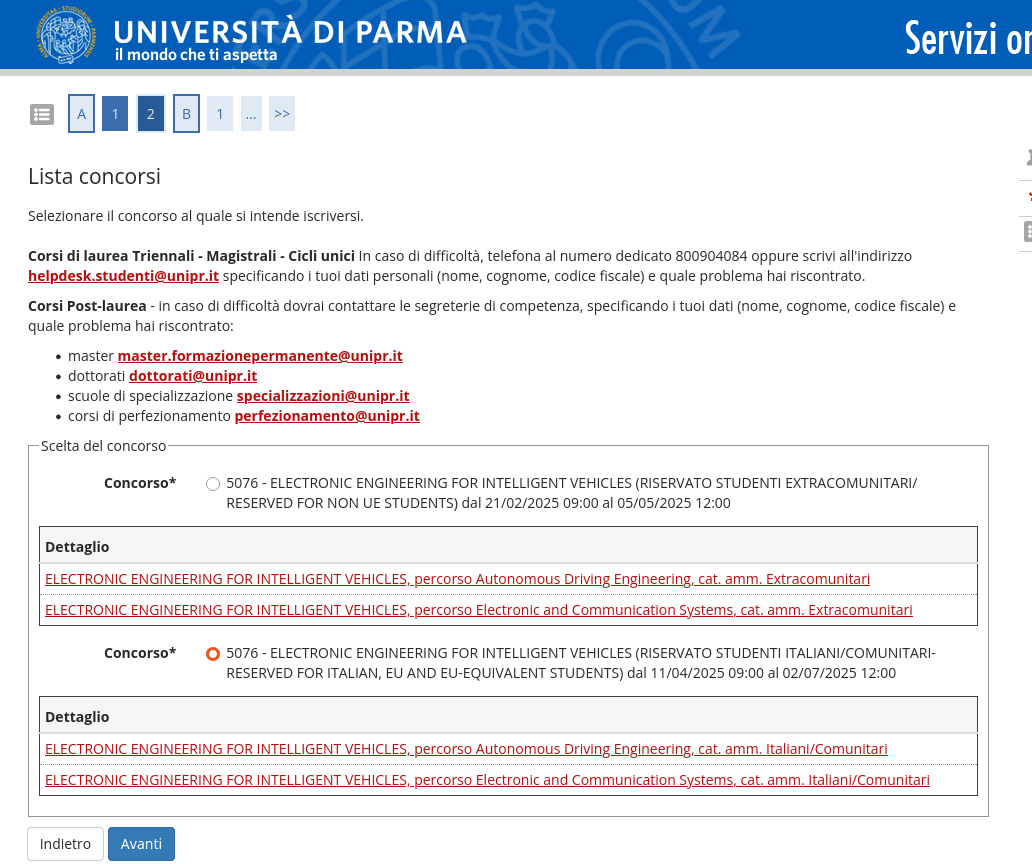
 Italian or EU candidates or extra-EU candidates living in Italy that have a valid residence permit MUST
select 5076 - ELECTRONIC ENGINEERING FOR INTELLIGENT VEHICLES (RISERVATO STUDENTI ITALIANI/COMUNITARI RESERVED FOR ITALIAN, EU AND EU-EQUIVALENT STUDENTS) and click on NEXT
Italian or EU candidates or extra-EU candidates living in Italy that have a valid residence permit MUST
select 5076 - ELECTRONIC ENGINEERING FOR INTELLIGENT VEHICLES (RISERVATO STUDENTI ITALIANI/COMUNITARI RESERVED FOR ITALIAN, EU AND EU-EQUIVALENT STUDENTS) and click on NEXT
In the next page you have to select your preferred track. Currently our master's degree offers 2 tracks: Autonomous Driving Engineering and Electronics and communication Systems
You can find more information at https://corsi.unipr.it/en/cdlm-eeiv
Please select your preferences (Only one preference is mandatory, but I suggest you to indicate 2 preferences, because this improve your possibilities of accessing our masters' degree) and click on NEXT
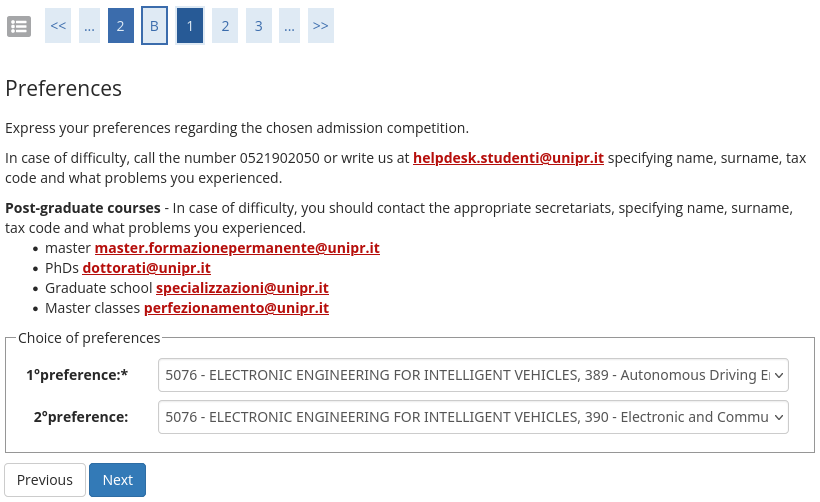
Please select your preferences (Only one preference is mandatory, but I suggest you to indicate 2 preferences, because this improve your possibilities of accessing our masters' degree) and click on NEXT
For non-EU candidates: in the next page you have to select your administrative category EXTRACOMUNITARIu that means non-UE. If you do not need any support for disability, you can directly click on NEXT
For Italian candidates, EU candidates, non EU candidates that already live in Italy and have a valid residence permit: in the next page you have to select your administrative category ITALIANI/COMUNITARI means Italia/EU. If you do not need any support for disability, you can directly click on NEXT
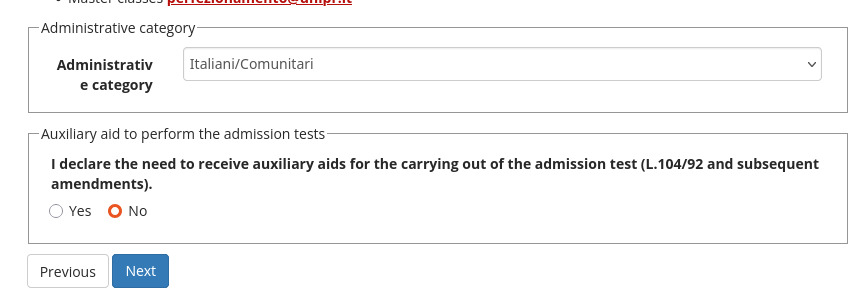
For Italian candidates, EU candidates, non EU candidates that already live in Italy and have a valid residence permit: in the next page you have to select your administrative category ITALIANI/COMUNITARI means Italia/EU. If you do not need any support for disability, you can directly click on NEXT
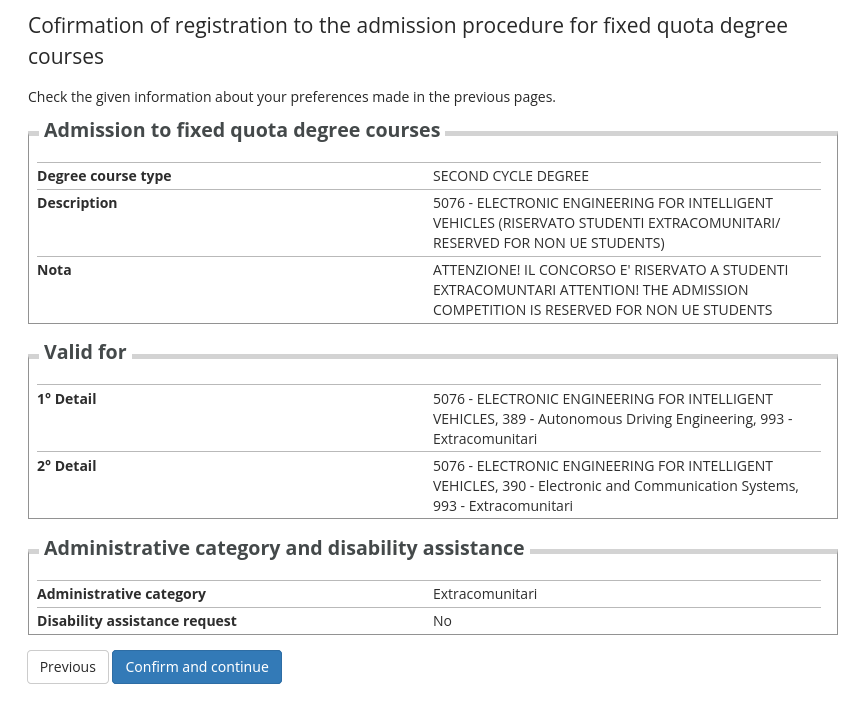
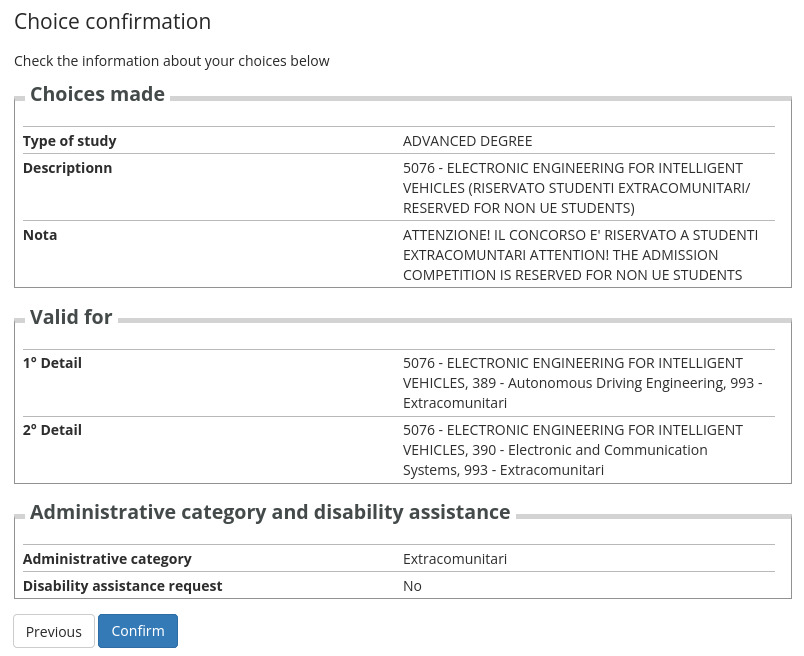
In this page you see a recap of data you entered in previous pages. If everything is ok, sim-ply click on CONFIRM AND CONTINUE
In this web page you have to inserta data about mandatory and optional qualifications. Please refer to the call for applications (you can find it at https://dia.unipr.it/bandi/bando-di-ammissione-al-corso-di-laurea-magistrale-electronic-engineering-intelligent-vehicles) for more details
Mandatory documents include:
For each qualification you need to also add description. Some page is only partly translated in English.
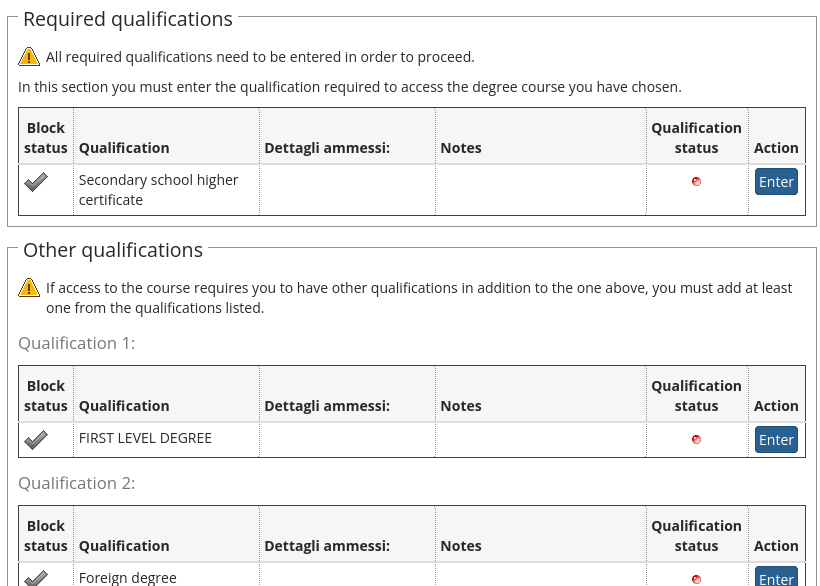
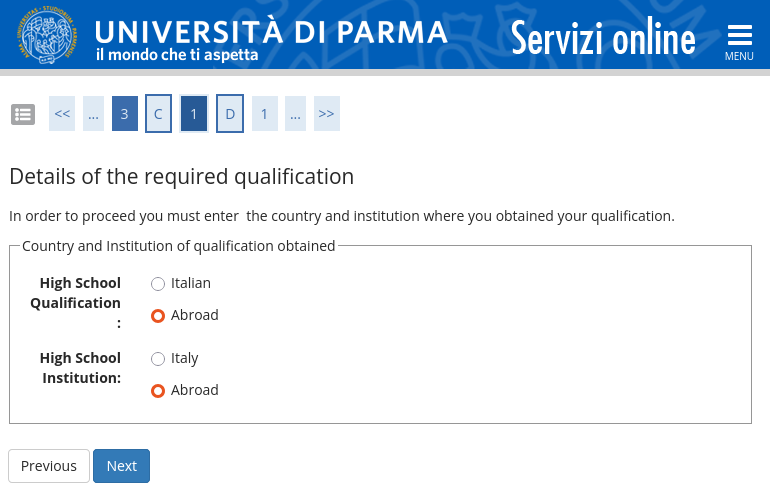
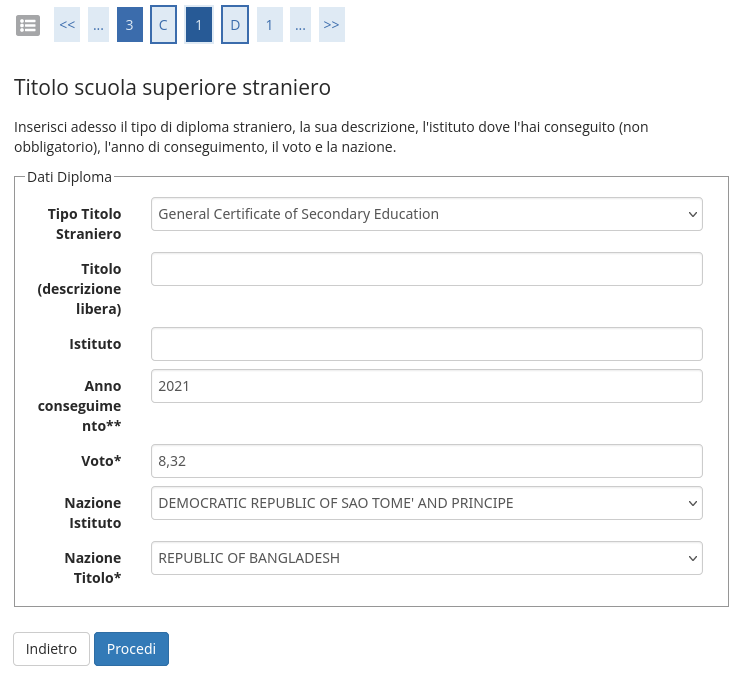 Please, note that if you got or are getting your bachelors' degree abroad you have to select foreign degree. Also note that you can skip secondary degree
Mandatory documents include:
- Application form duly filled in and signed
- University degree diploma and transcript of academic records
- CV
- English proficiency or equivalent
- ID/passport (for non Italian citizens)
For each qualification you need to also add description. Some page is only partly translated in English.
In this page you MUST upload other relevant documents, more precisely:
Please note that, since 2026, it is no more possible to uplead reference letters
Please note that a Residence permit is not mandatory!
Please, also note you can find the Application Form starting from https://dia.unipr.it/en/node/100412
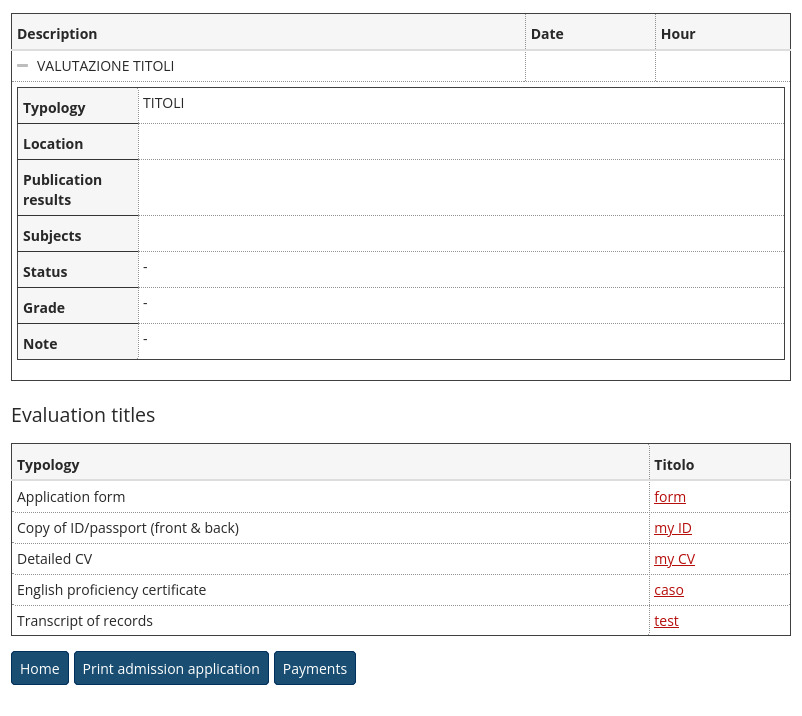
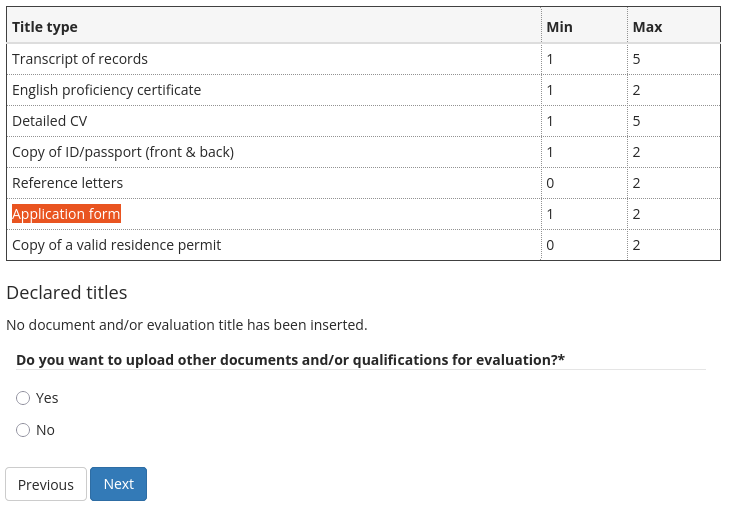 I order to upload them select YES for Do you want to upload other documents and/or qualifications for evaluation? and click on NEXT
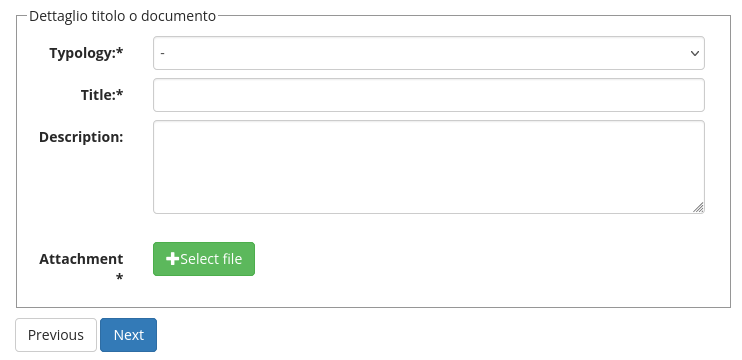 For each document you are going to upload you need to indicate Typology and a free Title
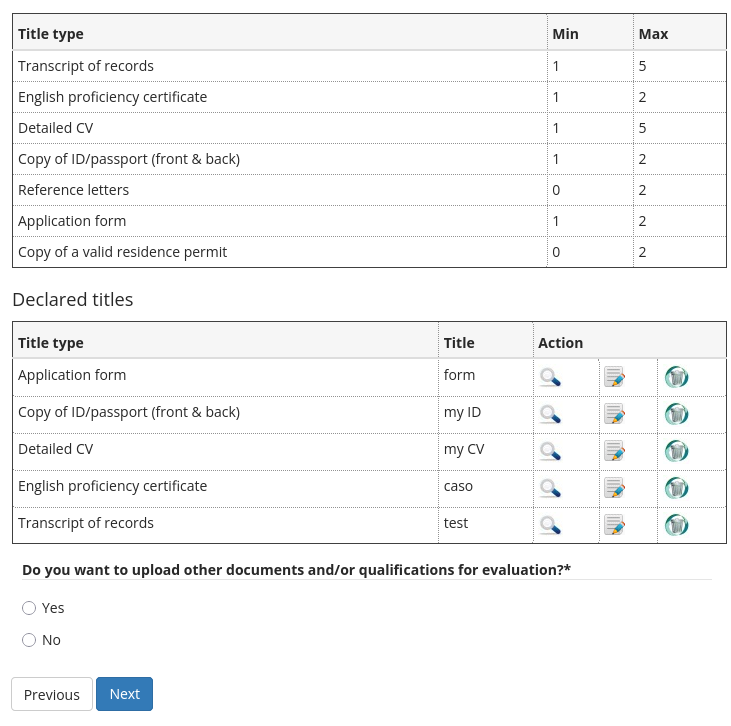
At the end of process you should also see the list of documents you uploaded. Once uploaded all documents, select NO and click on NEXT
- Transcript of records
- English proficiency certificate
- Detailed CV
- Copy of ID/passport (front & back)
- Application form
Please note that, since 2026, it is no more possible to uplead reference letters
Please note that a Residence permit is not mandatory!
Please, also note you can find the Application Form starting from https://dia.unipr.it/en/node/100412
At the end of process you should also see the list of documents you uploaded. Once uploaded all documents, select NO and click on NEXT
This page is showing you a simple recap of your application status and choiches. You can click on CONFIRM if you think that everything is ok
Electronic Engineering for Intelligent Vehicles is not a degree with chronological admission procedure. We have a limited number of places. And therefore there is a selection procedure. To
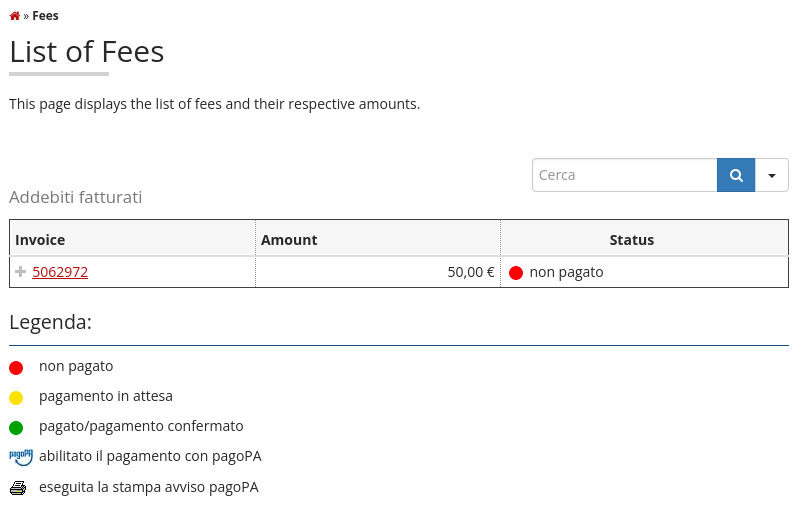
enter the selection phase you must pay an Application Fee (50 EUR in 2025). Therefore click on PAYMENTS and then on the invoice number to pay.
You will be forwarded to the Italian centralized payment portal (PagoPA).
Different payments methods are available, i.e., credit cards, bank transfers, and others.
Different payments methods are available, i.e., credit cards, bank transfers, and others.
For scolarships, once your application have been approved, you may be eligible for partial or total exemption from tuition fees.
Please see: https://www.er-go.it/international-students/benefits/focus-on-tuition-fees.
Please see: https://www.er-go.it/international-students/benefits/focus-on-tuition-fees.
- Am I elegible for this masters' degree?: you should evaluate this yourself. For successfully enter this programme you need a suitable knowledge of general scientific methods and
contents in basic disciplines like Mathematics, Information Technology, Statistics, and Physics as well as in Engineering disciplines like
Electronics, Telecommunications, Computer Engineering and others. The curricular requirements for the enrollment will be evaluated by a specific Board,
which will analyze the study curriculum submitted. Moreover, since the official teaching language is English,
applicants must have an appropriate English proficiency knowledge.
Please, also note that Italian and EU candidates must fit additional requirements about specific ECTS of previous degree. - Where I can find the call for applications?: please look at https://dia.unipr.it/en/node/100412
- Where I can find the Application Form?: you can find it in the same page of current Call for Applications, start from https://dia.unipr.it/en/node/100412
- The University web site states For chronological access degree courses, there is no fee to be paid, why do I have to pay a fee?: that is true, but Electronic Engineeering for Intelligent Vehicles is not a chronological access degree course.
- I am unsure whether I need to pay the admission fee: yes, the application fee is mandatory. Applicants that had not paid the fee will be rejected.
- What is the deadline for paying the admission fee?: the same as the application, please, refer to the call for application for the exact day (usually beginning of May).
- May I pay the admission fee by installment?: All payments are managed by PagoPA that includes different payment methods. At least, PayPal allows you to break up your payment. Maybe other methods allow that as well.
- I do not have a residence permit: not important, you can skip that step.
- I do not find my country in the list to indicate where I completed my secondary education: many countries are indicated with their official name. i.e. Bangladesh is listed as Republic of Bangladesh
- Is there any test or interview to evaluate the candidate or the evaluation is just based on submitted documents?: It is a 2 step evaluation. We evaluate at first your documentation in order to admit you to an online interview.
- What I have to study for the interview?: the interview will focus on your CV and used to test your English proficiency. Given that, do not worry about studying something.
- What is my ESSE3_ID that I have to use for applying at universitaly?: it is the username that you can use to access ESSE3 and that was given you during the registration.
For additional help and support, do not hesitate to contact
bertozzi@ce.unipr.it